Zwift Setup Guide for UK Riders 2026: Everything You Need to Start Riding
Last updated: June 2026
What This Guide Covers
This is a complete UK-focused setup guide for Zwift. By the end of it, you'll know exactly what hardware and software you need, what it'll cost you in pounds, how to pair everything together, and how to ride your first session in Watopia. No fluff, no upsells — just the information you actually need.
What Is Zwift, in 30 Seconds
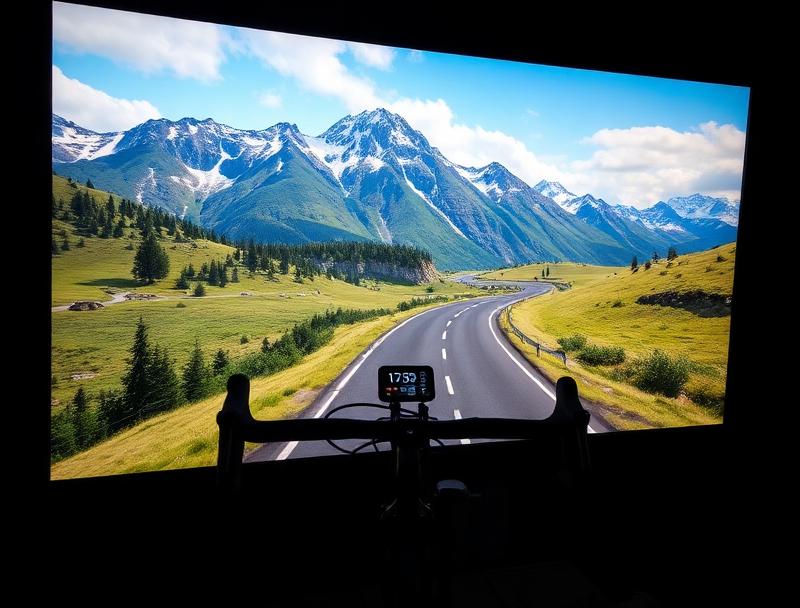
Zwift is an indoor cycling app that takes power data from your turbo trainer or smart bike and turns it into speed in a virtual world. You ride your real bike, on a real trainer, in your house — but instead of staring at a wall, you're cycling around an island called Watopia (or France, New York, Yorkshire, and several others), with thousands of other riders, group events, structured workouts, and races happening every hour of every day.
What It Costs to Get Started
| Item | Minimum | Recommended |
|---|---|---|
| Smart trainer | £280 (Van Rysel D100) | £465 (Wahoo Kickr Core 2) |
| Bike | Already own one | Already own one, plus turbo cassette |
| Device to run Zwift | £0 (existing phone/laptop) | £170 (Apple TV 4K) |
| TV / display | £0 (existing TV) | £0 (existing TV) |
| Heart rate monitor | £35 (Wahoo Trackr) | £90 (Garmin HRM-Dual or Pro) |
| Fan | £15 (cheap pedestal fan) | £250 (Wahoo Headwind) |
| Trainer mat | £25 | £60 (purpose-built) |
| Zwift subscription | £17.99/month or £179.99/year | Same |
Realistic minimum to get going: around £350 if you already own a fan and use your phone or laptop. Realistic recommended: around £900 with a Kickr Core 2, Apple TV, mat, and a heart rate strap.
Step 1: Choose Your Smart Trainer
You need a smart trainer — one that controls resistance based on the virtual gradient and broadcasts your power data back to Zwift. A "dumb" turbo trainer won't work properly without an additional power meter, and the experience is significantly worse.
Three categories worth knowing:
- Wheel-on smart trainers (£200–£400). Cheap, easy to use, but power accuracy is poorer (typically ±5%) and they wear out your back tyre. The Wahoo Kickr Snap is the best-known.
- Direct-drive smart trainers (£280–£900). The mainstream choice. You remove your bike's rear wheel and mount the bike directly on the trainer. Better power accuracy (±2% or better), better road feel, no tyre wear. The Wahoo Kickr Core 2, Van Rysel D100, Tacx Neo 2T, and JetBlack Victory all sit here.
- Smart bikes (£1,500–£3,500). A complete indoor bike — no real bike needed. Wattbike Atom, Tacx Neo Bike Plus, Wahoo Kickr Bike. Better if you ride indoors a lot or share with someone of a different size.
For most UK riders coming to Zwift for the first time, a direct-drive trainer in the £400–£500 range is the right answer. The Wahoo Kickr Core 2 is the consensus best value pick.
Step 2: Choose How You'll Run Zwift
Zwift runs on a lot of things. Each option has trade-offs.
| Device | Cost | Pros | Cons |
|---|---|---|---|
| Apple TV 4K | £170 | Set-and-forget, lives next to your TV, runs Zwift well | Limited Bluetooth pairing slots (the Kickr Bridge solves this) |
| Smartphone (recent) | £0 | Free if you have one, casts to Apple TV / Chromecast | Small screen unless mirrored to TV |
| Tablet (iPad) | £0–£500 | Decent-sized screen on a stand | Less immersive than a big TV |
| Windows or Mac laptop | £0–£1,000 | Best graphics, large monitor | Awkward to set up next to a bike, fan noise |
| Gaming PC + 4K TV | £1,500+ | Highest visual fidelity | Overkill for most riders |
For most people, an Apple TV 4K or an existing iPad/laptop is the right place to start. Apple TV is the most popular setup because it lives permanently next to your TV and you don't need to faff with mirroring or carrying devices around.
Step 3: Subscribe to Zwift
Zwift costs £17.99 per month or £179.99 per year in the UK. New users get a 14-day free trial on the monthly plan. Annual subscribers get a 30-day money-back guarantee instead of a trial.
Annual works out at the equivalent of paying for 10 months instead of 12 — so if you're going to use it for more than 10 months a year, the annual plan is cheaper. The monthly plan is better if you only ride indoors during winter and want to pause through the summer.
Step 4: Physical Setup
Where you put everything matters more than people think. A few rules of thumb:
- Solid, level floor. Carpet on solid floor is fine; carpet on suspended floorboards will transmit noise. A trainer mat reduces both vibration and sweat damage.
- Ventilation. You will sweat far more than you do outside, where wind cools you. Even a £20 pedestal fan dramatically improves the experience. A second fan, or a Wahoo Headwind, is genuinely worth it for sessions over an hour.
- Display height. Position your screen so you're looking slightly downward, in line with where you'd look on the road. A TV mounted at standard height is usually too high.
- Towel and bottles within reach. One bottle of water per 45 minutes of riding is a reasonable starting point, more on hard sessions.
- Sweat protection. Sweat will corrode anything aluminium or steel — bolts, headset, stem, frame. A sweat guard (a fabric sleeve from top tube to handlebars) is cheap insurance.
Step 5: Pair Your Trainer to Zwift
- Power on your smart trainer (most plug into the mains; some are self-powered like the Tacx Neo).
- Open Zwift on your chosen device and log in. Create an account if it's your first time.
- You'll be taken to the Pairing Screen. You'll see four boxes: Power Source, Controllable, Cadence, and Heart Rate.
- Tap the Power Source box. Your trainer should appear in the list — pair it.
- Tap Controllable. The same trainer will appear — pair it here too. This is what lets Zwift change your resistance.
- Cadence is included automatically with most direct-drive trainers. If you have a separate cadence sensor, pair it.
- If you have a heart rate monitor, pair it here. Optional but recommended.
- Click Start Riding.
If you're on Apple TV, you'll hit Apple TV's Bluetooth limit if you try to pair a trainer, heart rate monitor, and Zwift Click controller all at once. The Kickr Core 2's sensor bridge solves this by routing other sensors through the trainer; otherwise, the Zwift Companion App on your phone can act as a bridge.
Step 6: Your First Ride
Don't sign up for a race in your first hour. Pick a free ride in Watopia, ride for 20 minutes, and learn how the gears, the gradients, and the on-screen menus work. The Companion App on your phone is genuinely useful — it's where you give Ride Ons (the Zwift equivalent of a thumbs up), see who's around you, and access menus without taking your hands off the bars.
Once you're comfortable, the things worth exploring:
- Group rides. Pace-controlled, social, no pressure. The best way to start riding with others.
- Robo Pacers. Always-on group rides led by an AI rider at a consistent watts-per-kilo. Pick the one that matches your fitness.
- Workouts. Structured sessions in ERG mode (the trainer holds your power for you, regardless of cadence). Excellent for building fitness.
- The Climb Portal. Ride iconic real-world climbs on a virtual road.
- Races. Categorised by watts per kilo (A/B/C/D). Start in D and work up.
UK-Specific Tips
- Most UK households are on Wi-Fi 5 or Wi-Fi 6 routers. Zwift on Apple TV uses very little bandwidth, but if your router is far from your trainer, a Wi-Fi extender or wired ethernet (via Apple TV's USB-C or a Cat 6 cable) will eliminate dropouts.
- Power costs matter. A direct-drive trainer plus a TV plus a fan will draw around 200–400 watts from the mains during a ride. At UK electricity prices, that's roughly 6–12p per hour. Trivial.
- UK summers are short. Most British Zwifters ride hard from October to April and use Zwift more lightly through the summer. The annual subscription only makes sense if you genuinely use it year-round; otherwise, the monthly plan with off-season pausing is cheaper.
Common Setup Problems
My trainer keeps disconnecting
Almost always Bluetooth interference. Move your phone away from the trainer, switch to Wi-Fi pairing if your trainer supports it, or use ANT+ with a USB dongle.
My power numbers seem too low
Two possibilities. First, you're being honest with yourself for the first time — outdoor power estimates from Strava are often optimistic. Second, your trainer needs a spindown calibration (the Wahoo app or trainer's own app handles this). Most modern trainers auto-calibrate.
I'm overheating
You don't have enough airflow. Two fans is the standard answer. The Wahoo Headwind is excellent if you want a single fan that ramps up with your power output, but two cheap pedestal fans cost a tenth of the price and work nearly as well.
My partner / housemate / neighbour can hear me
Most modern direct-drive trainers are quieter than a conversation. The noise is almost entirely your drivetrain. Clean and lubricate your chain, add a trainer mat, and consider switching to a single-sprocket Zwift Cog setup for further noise reduction.
What to Buy First
If you're starting from zero today, the cheapest sensible Zwift setup looks like this:
- Van Rysel D100 trainer — £279.99
- Existing bike + cassette installed
- iPad or laptop on a music stand
- £20 pedestal fan
- £25 trainer mat
- £17.99/month Zwift subscription
Total: roughly £360 plus £18/month. That's a complete, usable setup. Upgrade the trainer, the display, and the fan as you go.
FAQ
Can I use Zwift without a smart trainer?
You can use a "classic" trainer if you have a separate power meter, but the experience is significantly worse — you don't get automatic resistance changes on hills. We don't recommend it.
Do I need a strong Wi-Fi connection?
Zwift is light on bandwidth — under 1 Mbps is plenty. What matters more is connection stability. Wired ethernet to an Apple TV is the gold standard if you have dropouts.
Will Zwift work on a smart TV directly?
Only on Apple TV (which plugs into your TV). It's not a native app on Samsung, LG, or other smart TV platforms.
Is the Cycle to Work scheme available on Zwift hardware?
No. Turbo trainers and smart bikes are explicitly excluded from the Cycle to Work scheme.
Do I need a separate cadence sensor?
Almost certainly not. Direct-drive smart trainers calculate cadence from the flywheel automatically. Wheel-on trainers may not.
How much does Zwift cost in the UK?
£17.99 per month or £179.99 per year. There's a 14-day free trial on the monthly plan.
Next Steps
Once you're set up and riding, the things worth reading next:
- How to set your FTP and what it means for training
- Best Zwift workouts for FTP improvement
- Best fans for indoor cycling UK
- Best turbo trainer mats UK
Pricing reflects published RRP and standard subscription rates at the time of writing. Verify current pricing on each product page before purchase.
Shop the gear mentioned in this guide
Browse all indoor cycling trainers, accessories and sports nutrition at Indoor Cycling Solutions.